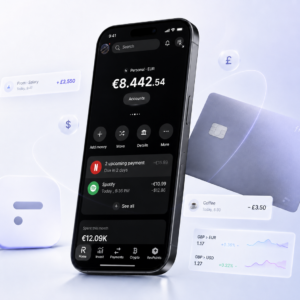

Description
⚠️ About the demo video
The video above shows an older version of our dashboard.
✅ The dashboard you get today is fully up to date with the latest version.
✅ We regularly add new features and improve the interface to give you a better experience.
Since the dashboard is constantly evolving, it’s not possible for us to update the video every time we release a new update. So it’s completely normal if the design or some options in the video look slightly different from the current version.
💡 Rest assured: all the key features shown in the video are still available — often improved with new pages to customize or expanded in the current dashboard.
Fake Stripe Dashboard
Create a realistic Stripe Dashboard that you can fully customize for payment demos, e-commerce presentations, sales proof, and agency use. With Fakedash, you can edit revenue, payments, customers, charts, analytics, and key business metrics in just a few clicks.
Our Fake Stripe Dashboard is designed for agencies, entrepreneurs, e-commerce brands, and sales teams who need a professional-looking payment dashboard for presentations, demos, and social proof.
Realistic Stripe Dashboard Replica
The dashboard is carefully designed to recreate the look and feel of a real Stripe Dashboard. You can customize payment volume, revenue numbers, customer data, transactions, charts, and analytics to match your presentation needs.
This makes it easier to show business activity, explain growth, present revenue examples, and create a stronger first impression during sales calls or client demos.
Built for E-commerce Brands and Agencies
A clean and professional payment dashboard can help you present your business in a more credible way. This tool is useful for e-commerce brands, agencies, consultants, and entrepreneurs who need realistic dashboard examples without sharing private financial data.
Use it for sales presentations, client calls, business demos, internal planning, or visual proof of concept.
Fully Editable Payment Dashboard
You can quickly edit the main dashboard elements, including:
- Revenue and payment volume
- Customer and transaction data
- Charts and analytics
- Custom numbers and projections
- Business performance metrics
- Dashboard pages shown in the demo
No coding or design experience is required. The editor is simple, fast, and easy to use.
Secure and Private
Your real financial information stays private. You can create professional Stripe-style dashboard examples without exposing sensitive payment data, customer details, or real business numbers.
Key Features
- Realistic Stripe Dashboard design
- Fully editable revenue, payments, and analytics
- Customizable charts and customer data
- Easy-to-use dashboard editor
- Perfect for e-commerce brands, agencies, and demos
- Secure and private access
- Updated regularly with improvements
- No technical skills needed
Why Choose Fakedash?
Fakedash gives you a fast and professional way to create realistic dashboard examples without wasting time on screenshots, editing tools, or complicated templates.
Whether you are preparing a client demo, pitching a business idea, or presenting e-commerce performance, our Fake Stripe Dashboard helps you create a cleaner and more convincing presentation.
Explore More Dashboard Tools
Looking for more e-commerce tools? Explore our Shopify Dashboard, Ecom Pack, or for more customizable dashboard solutions.